|
|
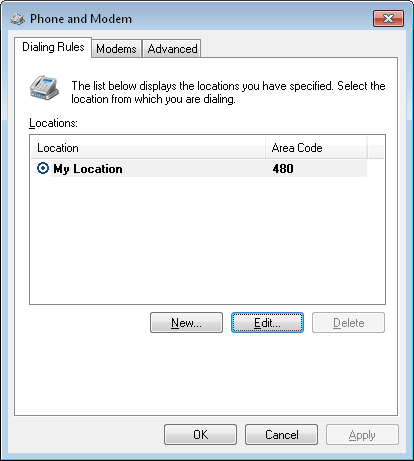
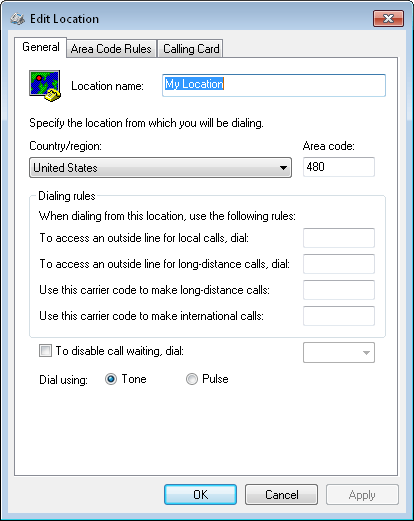
How do I assign a default location for my contacts?Handy Address Book obtains your default country and area code from your Window's location. When creating new contacts the contact's country and area code will default to these values. To specify your location in Windows, follow these instructions: 1) Open up the "Phone and Modem Options" dialog from your Window's Control Panel. From within Handy Address Book see "File / Options... / Options / Default Country/Area Code / Change...". On the "Dialing Rules" tab you will see a list of "Locations". Select your location and press "Edit..." to choose your country and also enter your area code. The following are sample pictures of the phone and modem options dialog and the location dialog:
2) Re-start Handy Address Book after making these changes. Return to the FAQ. |
| Beiley.com Home | Contact Us | Site Map | About Us | Privacy Policy |
| Copyright ©1993-2024 Beiley Software, Inc. All rights reserved. |