|
|
Sync with Google CalendarThis optional add-on synchronizes your events between Remind-Me and your calendar in your Google account. Your Google calendar can then be synchronized to a variety of mobile phones/tablets, such as iPhone, iPad, Android, etc. To sync Remind-Me with your Google account, download and run the following:
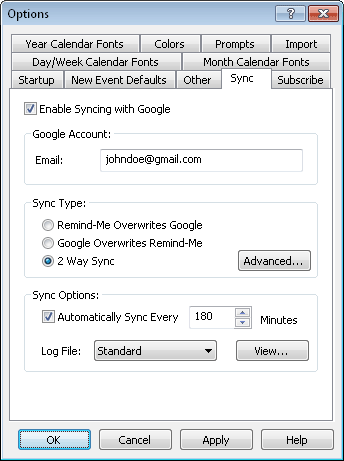
After installation, set up your syncing preferences under File / Options... / Sync:
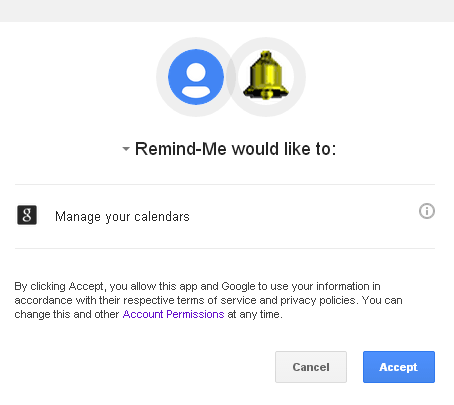
The sync options allow automatic syncing every so many minutes, or you can initiate a sync at any time using the Edit / Sync with Google menu command. The very first time you sync a web browser will open up an authorization page where you give Remind-Me permission to access the calendar for your data. You will see something like this:
Press "Accept" to allow Remind-Me to sync to your account. You only need to do this once. For details on how Remind-Me uses your Google user data, please see our privacy policy. See the event synchronization documentation for more details on synchronizing your calendar. If you receive an error when syncing, see our sync troubleshooting steps. The Google Sync add-on is fully functional for a trial period of 15 syncs. To use the optional add-on past the evaluation period requires a separate Google Sync license by purchased for $15.95. See Also: |
|||||

| Beiley.com Home | Contact Us | Site Map | About Us | Privacy Policy |
| Copyright ©1993-2026 Beiley Software, Inc. All rights reserved. |